
Today we will generate a PDF with the open source Scryber. The best way to work with Scryber is to use a template (PDFX file) for the style, the layout and the static content, then insert the dynamic content with C#. Full documentation at this link. Good example at this link. Create a new XML […]
Open a file with the default application

If you double click on a PDF file, it will be opened by the default application linked to that extension. So if Acrobad Reader is installed it will be opened with that application. In .Net, we have Process.Start which can start an executable. So if we start a PDF file, it will be openend by […]
Count the number of digit in a number

If you have a number like 137, and you want to know how many digits it is composed: var number = 137; var nbrOfDigits = Math.Floor(Math.Log10(number) + 1); //nbrOfDigits = 3
StopWatch – measure your perf.

So let’s say you have a few operations to run and it takes a while to finish the execution. You would like to know which step is taking so long and how to improve the performance of the application. First, you could simply put a break point in each methods, but what if you want […]
Singleton
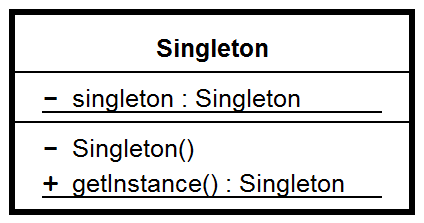
Multi threaded Singleton: using System; public sealed class Singleton { private static volatile Singleton instance; private static object syncRoot = new Object(); private Singleton() {} public static Singleton Instance { get { if (instance == null) { lock (syncRoot) { if (instance == null) instance = new Singleton(); } } return instance; } } }
Export DOCX to PDF

This is a simple code to convert any Word document to a PDF using the Word interop. using Word = Microsoft.Office.Interop.Word; … public Word.Document wordDocument { get; set; } public void ConvertWord2PDF() { var appWord = new Word.Application(); wordDocument = appWord.Documents.Open(@”D:\Tests\test.docx”); wordDocument.ExportAsFixedFormat(@”D:\Tests\test.pdf”, Word.WdExportFormat.wdExportFormatPDF); }
Use a Dictionary

Here is a simple example of how to use a Dictionary with a Key-Value. var dico = new Dictionary<int, string>(); dico.Add(1, “Steeve”); dico.Add(2, “Morgan”); var result = dico.FirstOrDefault(x => x.Key == 1); var temp = result.Value; //temp = “Steeve”
WPF – SaveFileDiaglog
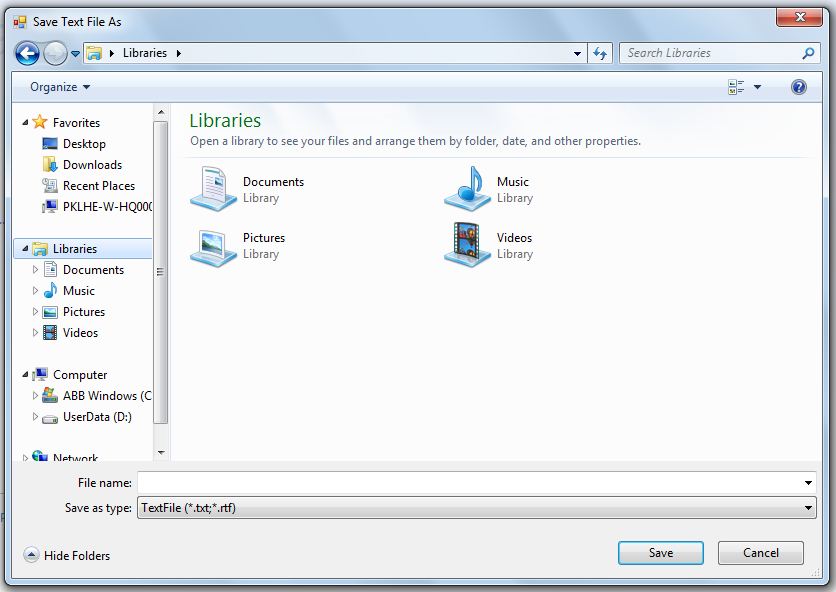
Here is a simple example of how to use the native SaveFileDialog in WPF: var sfd = new SaveFileDialog { Filter = “PDF Documents|*.pdf”, DefaultExt = “.pdf”, FileName = “converted.pdf” }; // Show save file dialog box var result = sfd.ShowDialog(); // Get the location of the file if (result != true) return; var fileName […]
Consume XML From A WebService

I will present two ways of getting an XML from a WebService and then read it as object(s). The first one will use validation. To validate an XML we generally use a XSD. This XSD can be provided in the XML it self as a reference or not (like in this case). The XSD is really usefull […]