
Hello Devz, Are you looking to control and configure a php server on your Linux or Raspberry Pi machine? Here are simple steps for Raspberry phpmyadmin installation. sudo apt-get install phpmyadmin Using the above command line, you will be asked to choose the web server installed in the system, which is either Apache2 or Lighttpd. In […]
Raspberry Pi: Install a web server – the easy and fast way
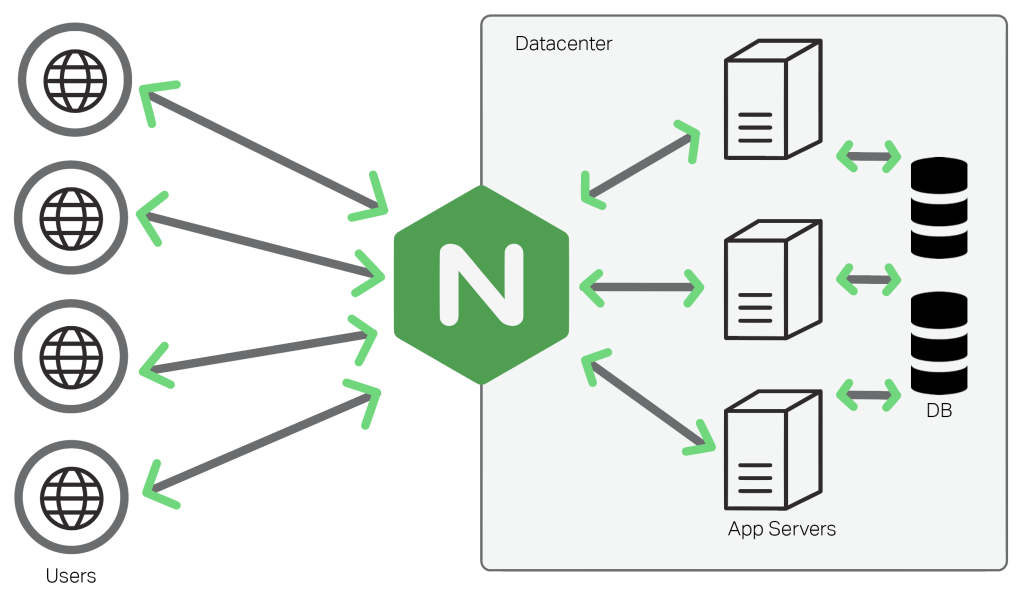
Hello Devz, NGINX (pronounced engine x) is a popular lightweight web server application you can install on the Raspberry Pi to allow it to serve web pages. Like Apache, NGINX can serve HTML files over HTTP, and with additional modules can serve dynamic web pages using scripting languages such as PHP. INSTALL NGINX First install […]
Raspberry Pi – Useful commands for your web server

Hello Devz, Here are some simple steps to configure your own web server: INSTALL WORDPRESS sudo mkdir -p /var/www/html/mywebsite cd /var/www/html/mywebsite sudo wget http://wordpress.org/latest.tar.gz tar –strip-components=1 -xvf latest.tar.gz rm latest.tar.gz sudo chown -R www-data:www-data /var/www/html/mywebsite sudo chmod -R 755 /var/www/html/website KILL THE FIREWALL sudo iptables -F sudo iptables -X sudo iptables -t nat -F sudo […]
Pi Web Server – Part 2: Setting up your first website

Hello Devz, Here are the simple steps to configure your existing web server: Create the directory for your website’s files Lets make our first simple website. I’m hosting all mine on the external USB drive I mounted earlier. In the directory /data. Type: sudo mkdir -p /data/mysite.com/www sudo mkdir -p /data/mysite.com/logs All your PHP/HTML/CSS etc […]
Pi Web Server – Part 1: Install Nginx, PHP and MySQL
Install Nginx, PHP and MySQL I’m going to use nginx rather than the more traditional Apache2, because it is more efficient and on a low-power device like the Pi that’s going to be important. I’m also going to install PHP5 (with PHP APC to make it faster than normal) and MySQL as these are pretty […]
Securing your Raspberry Pi – Part 2: Firewall

Creating a Firewall Now it’s time to set up a firewall to limit and block unwanted inbound traffic to your Pi. This step is optional, but we strongly recommend that you use the example below to block traffic to ports that are not commonly used. It’s a good way to deter would-be intruders! You can […]
Securing your Raspberry Pi – Part 1: SSH

You’ve used password authentication to connect to your Pi via SSH, but there’s a more secure method available: key pair authentication. In this section, you’ll generate a public and private key pair using your desktop computer and then upload the public key to your Pi. SSH connections will be authenticated by matching the public key […]
Add CodeLens to Visual Studio Community Edition 2015
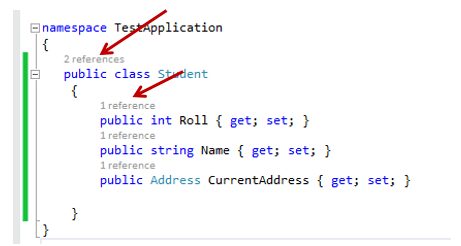
Hey hardcore programmers, If you want to have CodeLens (yeah you know this little useful tool which gives you directly a link to where this code is referenced), all you need to do is install SSDT. And if you don’t need SSDT, you can just uninstall it afterwards, and CodeLens will remain. So first, download SQL […]
WPF – Override Decimal Separator for the current CultureInfo
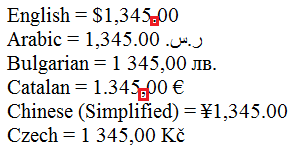
Lets say we want to keep the current en-US culture format but override the way the Decimal is represented (normaly with a dot (.) but here we want a coma instead (,). System.Threading.Thread.CurrentThread.CurrentUICulture = CultureInfo.GetCultureInfo(“en-US”); var currentCulture = System.Threading.Thread.CurrentThread.CurrentCulture.Name; var ci = new CultureInfo(currentCulture) { NumberFormat = { NumberDecimalSeparator = “,” } }; System.Threading.Thread.CurrentThread.CurrentCulture = ci; […]
C# – DateTime.ToString() not displayed as I expected

Hello dear programmers, Imagine, you’re getting this nice string from this wonderfull object and BOOM: what you get is something completely different… I can see some unhappy faces here! This is the way to get the string as you expected. Did you know that actually writing the code DateTime.ToString(“dd/MM/yyyy”) or DateTime.ToString(“dd-MM-yyyy”), it’s just the same! It […]