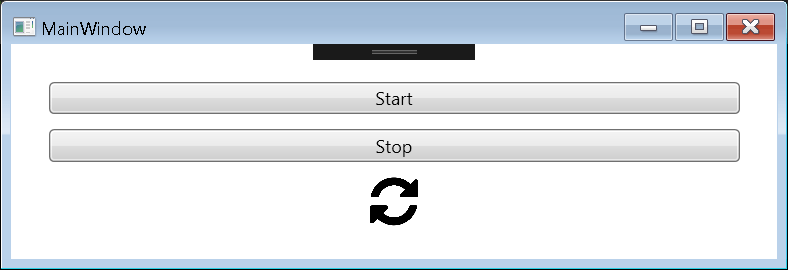

Sometimes it can be useful to have an animated text even in WPF. Typically a “Loading…”, where the 3 dots are moving one by one.
Here is a simple way to do an animation with text:
<StackPanel Orientation="Horizontal" Margin="20">
    <Button Content="Start" Height="20" Command="{Binding StartCommand}" VerticalAlignment="Top" Margin="5" />
    <Button Content="Stop"  Height="20" Command="{Binding StopCommand}"  VerticalAlignment="Top" Margin="5" />
    <TextBlock Text="{Binding Status}" Margin="5">
        <TextBlock.Style>
            <Style TargetType="{x:Type TextBlock}">
                <Style.Triggers>
                    <DataTrigger Binding="{Binding Status}" Value="Running">
                        <DataTrigger.EnterActions>
                            <BeginStoryboard Name="animationRefresh">
                                <Storyboard>
                                    <ObjectAnimationUsingKeyFrames Storyboard.TargetProperty="Text"
                                                               Duration="00:00:01.0"
                                                               RepeatBehavior="Forever">
                                        <DiscreteObjectKeyFrame KeyTime="00:00:00.00" Value="Running   "/>
                                        <DiscreteObjectKeyFrame KeyTime="00:00:00.25" Value="Running.  "/>
                                        <DiscreteObjectKeyFrame KeyTime="00:00:00.50" Value="Running.. "/>
                                        <DiscreteObjectKeyFrame KeyTime="00:00:00.75" Value="Running..."/>
                                    </ObjectAnimationUsingKeyFrames>
                                </Storyboard>
                            </BeginStoryboard>
                        </DataTrigger.EnterActions>

                        <DataTrigger.ExitActions>
                            <StopStoryboard BeginStoryboardName="animationRefresh"/>
                        </DataTrigger.ExitActions>

                    </DataTrigger>
                </Style.Triggers>
            </Style>
        </TextBlock.Style>
    </TextBlock>
</StackPanel>
With a ViewModel looking like (using PRISM 6.3):
using Prism.Commands;
using Prism.Mvvm;

namespace AnimateTextWPF
{
    public class MainWindowVM : BindableBase
    {
        #region  Properties

        private string _status;
        public string Status
        {
            get { return _status; }
            set { SetProperty(ref _status, value); }
        }

        #endregion

        #region Commands

        private DelegateCommand _startCommand;
        public DelegateCommand StartCommand =>
            _startCommand ?? (_startCommand = new DelegateCommand(Start));

        private DelegateCommand _stopCommand;
        public DelegateCommand StopCommand =>
            _stopCommand ?? (_stopCommand = new DelegateCommand(Stop));

        #endregion

        public MainWindowVM()
        {
            this.Status = "Not started yet";
        }

        private void Start()
        {
            this.Status = "Running";
        }

        private void Stop()
        {
            this.Status = "Stopped";
        }
    }
}
Here is another post talking about animated images.
Happy coding! 🙂